Printing a maze for a kid takes ten seconds. Printing the right maze is the part that decides whether you get ten quiet minutes or a crumpled ball of paper. This guide matches printable mazes to each grade from kindergarten through 5th, with a real example maze for every level, the signs you picked wrong, and how to move a kid up without losing them.
Every maze here is free to print. Start with printable mazes for kids, grab a ready-made set like the Easy Starters Pack (answer keys included, Letter and A4), or make your own in the maze generator. In December, the Christmas mazes run from two easy path mazes for kindergarten to a hard grid for the oldest grades.
I have handed out a lot of mazes: to my own two kids at the kitchen table, and to full classrooms during my years teaching. The single biggest lesson is that "grade level" is a starting point, not a verdict. Two kids in the same row can be two levels apart, and both are doing fine. Use the table below to start, then adjust based on what the kid in front of you actually does.
the grade-by-grade cheat sheet
| Grade | Typical age | Grid size to start | Difficulty | Typical solve time | What to watch for |
|---|---|---|---|---|---|
| K | 5–6 | about 8×8 | easy | 2–5 min | Wide corridors; one maze per page |
| 1st | 6–7 | about 10×10 | easy | 3–6 min | First real backtracking |
| 2nd | 7–8 | about 12×12 | easy → medium | 4–8 min | Ready for medium mid-year |
| 3rd | 8–9 | about 14×14 | medium | 5–10 min | Starts planning ahead instead of guessing |
| 4th | 9–10 | about 16×16 | medium → hard | 6–12 min | Rotate in new shapes to keep it fresh |
| 5th | 10–11 | 20×20 and up | hard | 10–20 min | Hard is motivating; expert is a bonus round |
Grid size tells you how many cells the maze has (a 12×12 maze is a 12-by-12 grid of cells). Bigger grids mean narrower printed corridors and longer paths, which is most of what makes a maze feel harder. If you want the full explanation of what the labels mean, read how maze difficulty works and maze sizes explained.
One honest caveat before the grade sections: research supports mazes as practice for pencil control, attention, and planning, and Harvard's Center on the Developing Child lists mazes among the activities that exercise executive function in 5-to-7-year-olds. Mazes will not raise a report card by themselves. They will buy you focused, screen-free practice that kids ask to repeat, which is rarer than it sounds.
what actually makes a maze grade-appropriate
Kids do not struggle because a maze is "complex." They struggle when the maze asks for too many decisions, too close together, on lines that are hard to see. Four things drive almost all of it:
- How often they must choose. Every junction is a decision. A kindergarten maze should have a handful; a 5th-grade maze can have forty.
- How punishing wrong turns feel. A dead end two steps in is a shrug. A dead end twenty steps in feels like losing progress, and younger kids take that personally.
- How easy it is to keep your place. Thin lines and tight corridors force kids to spend effort on tracing instead of thinking.
- How long the whole thing takes. Fatigue turns a fair maze into a hard one around the two-thirds mark.
Every maze on Maze Printables is scored on exactly these ingredients (solution length, junction count, dead ends) and labeled easy, medium, hard, or expert, so the filters do the estimating for you. The grade sections below show what each level looks like in practice.
kindergarten maze worksheets (ages 5–6)
Kindergartners can plan a couple of moves ahead and hold a pencil with real control, which is what separates a kindergarten maze from the preschool kind. The right maze is small (around 8×8), with wide corridors and a few honest forks. Wrong turns should be cheap: a dead end after two or three cells, not ten.
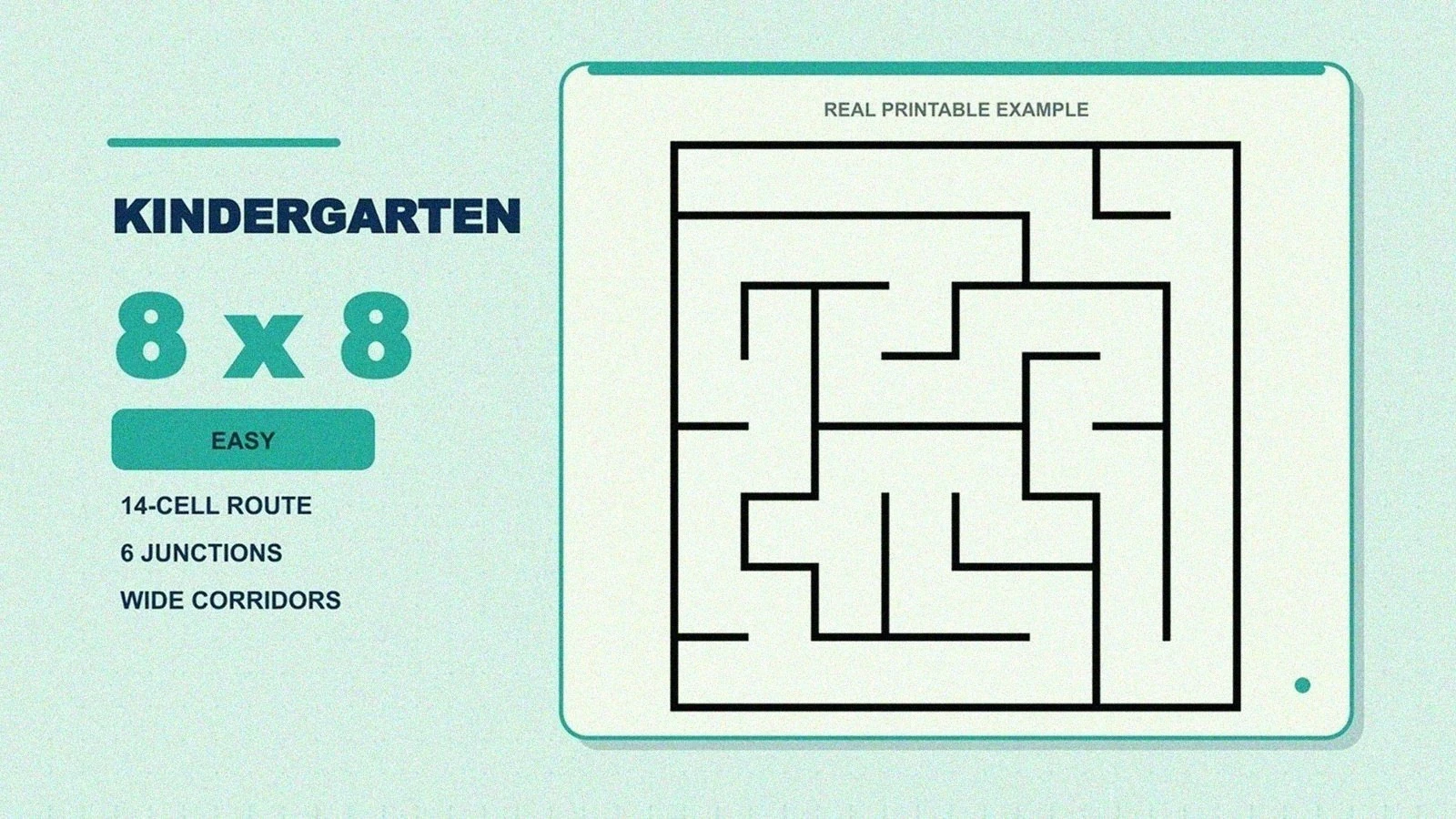
A kindergarten-level 8×8 maze from our easy collection: a 14-cell solution and only 6 junctions, so wrong turns cost seconds, not minutes.
What works at this age:
- One maze per page. A page with four mazes on it reads as "work." One big maze reads as a puzzle.
- Finger first, then pencil. Tracing the route with a finger before committing removes the fear of ruining the page. I still do this with every new solver.
- Celebrate the dead ends. "You found a trap!" keeps the mood right. The kid who feels clever at dead ends will happily take on the next level.
Print from easy rectangular mazes or grab the Easy Starters Pack. If your child is not in kindergarten yet, our preschool and kindergarten maze worksheets guide covers ages 3 to 5 in detail, including the wide-path mazes that come before this level. For a reward page, the easy maze coloring pages add a scene to color once the route is done.
mazes for 1st graders (ages 6–7)
First grade is where backtracking becomes a skill instead of a meltdown. A 10×10 easy maze gives a 1st grader a longer route and a few more forks, and the important lesson: a wrong turn is information, not failure.
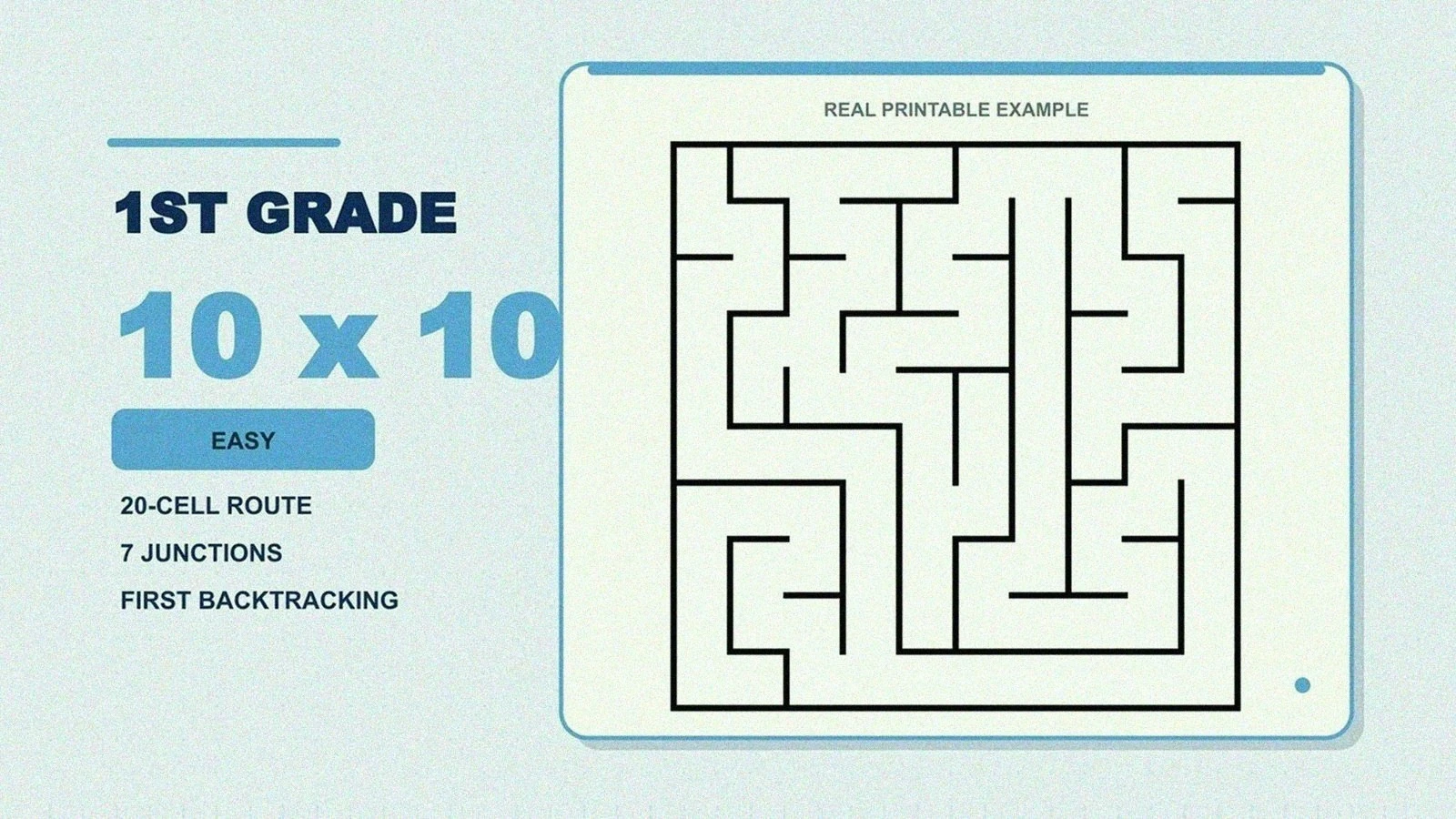
A 1st-grade 10×10 maze: a 20-cell solution with 7 junctions. Enough forks to require real choices, short enough to finish before frustration.
This is the age to teach the one habit that carries through every grade: mark dead ends with a small X, then walk back to the last fork. It keeps the page readable and turns the maze into a calm search. My daughter picked this up in about three mazes; the X-marks made her feel like she was collecting evidence instead of failing repeatedly.
A 1st grader who finishes an easy maze without a single wrong turn is ready to sample a bigger challenge from the rectangular maze collection, no matter what the grade column says. Keep a mix on hand with the Mixed Bag Pack.
mazes for 2nd graders (ages 7–8)
Second grade is the crossover year. Most 2nd graders start on easy and are solving medium comfortably by spring. A 12×12 maze roughly doubles the decisions of the 1st-grade level, and this is where you can watch a kid switch from wandering to actually scanning ahead.
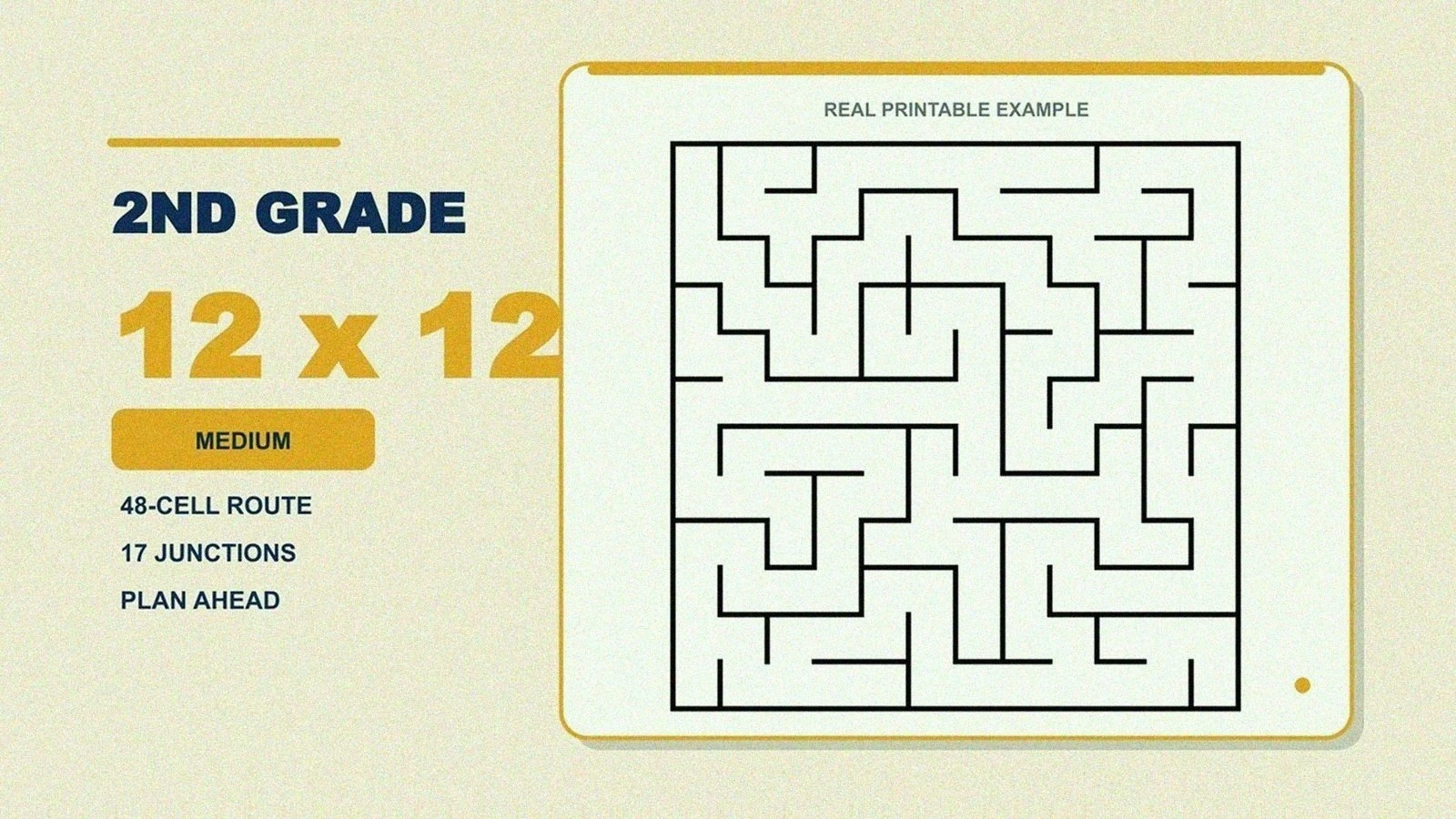
A 2nd-grade 12×12 medium maze: a 48-cell solution and 17 junctions. Nearly triple the decisions of the 1st-grade example above.
Two things I have learned to do at this level:
- Hand out a pencil, not a marker. At 12×12 the corridors get tighter, and a thick marker line covers the corridor walls kids need to see. Save markers for the big easy mazes.
- Offer "beat your own time" instead of races. Racing the kid next to you makes half the class rush and scribble. Racing yesterday's time is private and weirdly motivating.
Start with the Easy Starters Pack in fall and keep the Medium Mix Pack ready for the kids who outgrow it, which happens fast.
mazes for 3rd graders (ages 8–9)
By 3rd grade, kids can hold a plan: look ahead down a corridor, reject it from the armchair, and pick the better fork without touching the page. A 14×14 medium maze rewards exactly that. Guess-and-check still works, but planning is faster, and kids notice.
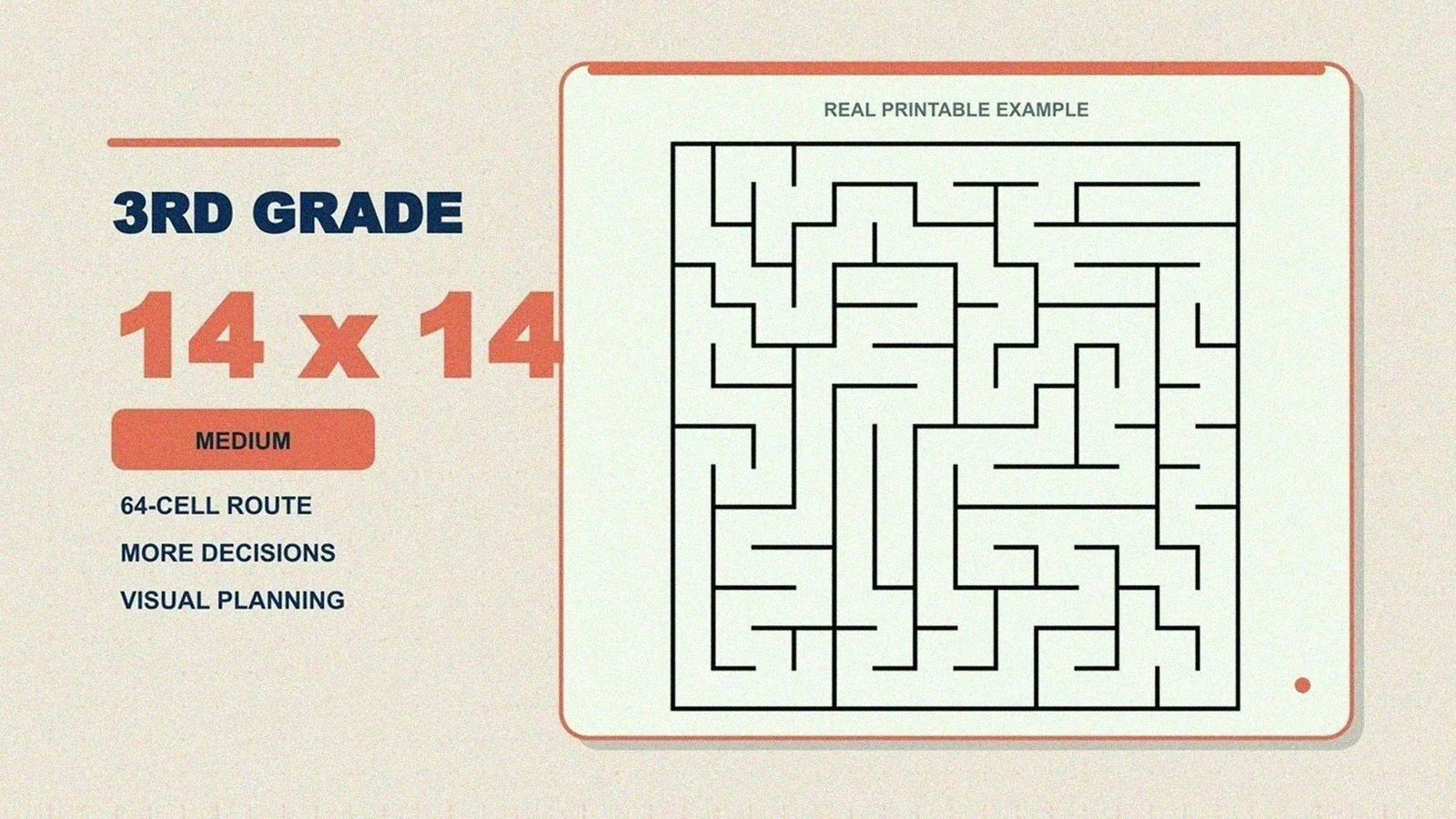
The coaching move here is to name strategies out loud, once, and then stay quiet: "some people look ahead with their eyes before drawing." Our guide to how to solve a maze covers the real techniques (wall-following, dead-end filling) in kid-friendly terms, and help kids when they get stuck covers what to say when the pencil stops moving.
Browse the rectangular maze collection for a stack at this level. For kids who live in blocky video games, the pixel sword and diamond mazes sit at about the same medium level.
mazes for 4th graders (ages 9–10)
Fourth graders have the skills for genuinely tricky mazes; the challenge is novelty, not ability. A 16×16 maze is the right ceiling for most of the year, and this is the perfect grade to rotate in different shapes: a circular maze or a hex maze at the same difficulty feels brand new without actually being harder. Our maze shapes comparison explains what changes with each shape.
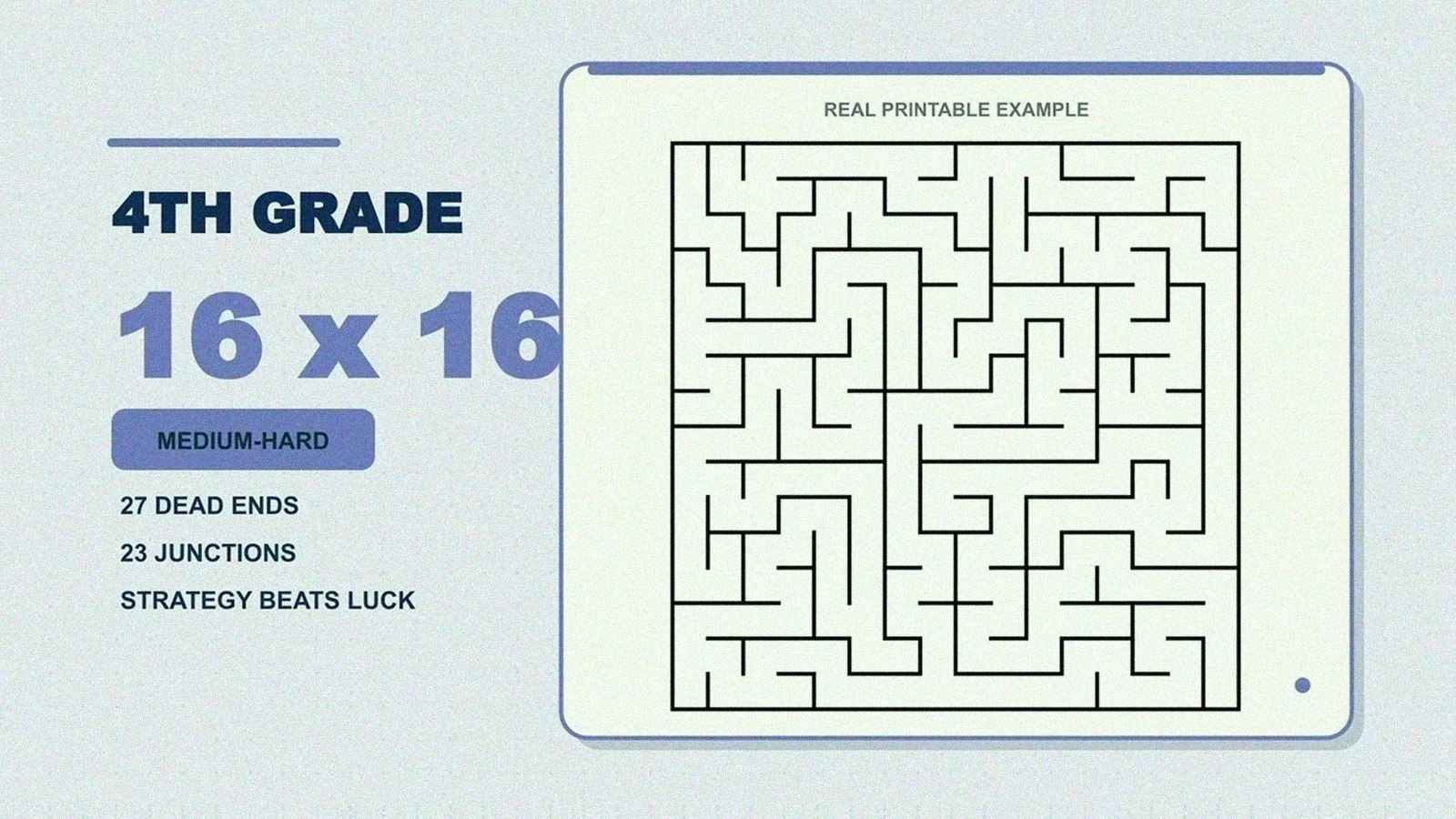
A 4th-grade 16×16 maze: 27 dead ends and 23 junctions. At this level, strategy beats luck.
This is also the age when kids start wanting to make mazes, not just solve them. Early finishers can draw their own on graph paper; our how to draw a maze guide has the draw-the-solution-first trick that makes hand-drawn mazes actually solvable. This short tutorial is a good five-minute demo to put on the board:
mazes for 5th graders (ages 10–11)
Fifth graders can handle adult-easy territory, and most of them love being told exactly that. A 20×20 hard maze is a real puzzle: the example below has a solution path 238 cells long, which means even a perfect run takes several minutes of sustained attention.
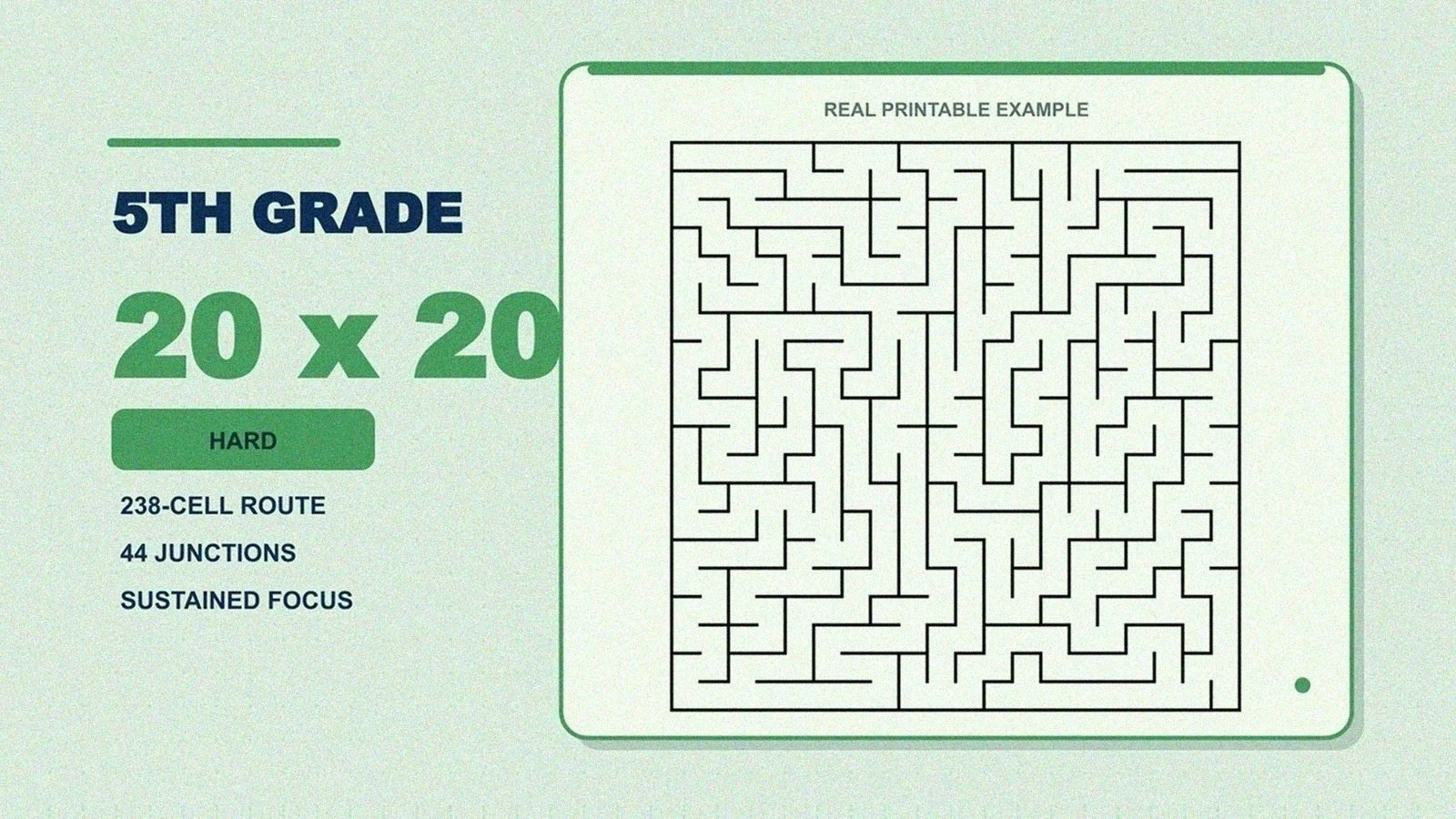
A 5th-grade 20×20 maze. The correct route alone is 238 cells long, with 44 junctions where a wrong choice is possible.
What works in 5th grade:
- Hard as the default, expert as a dare. Keep one or two expert mazes in reserve and introduce them as "probably too hard for this class." Works every time.
- Timed solo challenges. At this age a timer adds excitement rather than stress, as long as it stays optional.
- Let them into the grown-up section. The hard printable mazes hub is exactly this level, and plenty of 5th graders happily raid the adult mazes too.
signs you picked the wrong level
You can usually tell inside the first minute. The fix is almost never "coach harder"; it is changing the maze.
Too hard right now:
- They stop moving and stare at the page.
- They erase the same few turns more than once (watch for the paper going thin and gray in one spot).
- Pencil pressure ramps up, or the lead snaps.
- They ask for the answer before exploring even two branches.
Too easy:
- They finish before you sit down.
- They never hit a single dead end.
- They ask for another one immediately, with a slightly insulting tone.
When it is too hard, drop one level or switch to solving online at browse mazes, where a wrong turn resets cleanly with no eraser holes. When it is too easy, go up a size before going up a difficulty label; the jump is gentler.
how to move up without losing them
Change one variable at a time:
- Same difficulty, bigger grid. 10×10 easy to 12×12 easy is barely noticeable in the moment, but it builds stamina.
- Same grid, next label. 12×12 easy to 12×12 medium adds decisions without adding length.
- Same everything, less help. No finger-tracing, no hints, no marking dead ends. This is a real difficulty jump; treat it as one.
For a mixed classroom, run the "two-lane" setup I used for years: an easy maze on every desk, a medium stack on the front table, and kids self-select their next sheet after finishing. Nobody waits, nobody is singled out, and the medium stack disappearing tells you exactly where the class is. Browse the maze packs when you want a ready-made stack at one consistent level.
For a full 10-minute warm-up routine built around this, see classroom maze warm-ups. And if you are printing 30 copies before the bell, the maze printing checklist will save you from discovering a cropped finish line on copy 30. I have made that exact mistake; one test page first, always.
printing tips that keep easy mazes easy
Print problems masquerade as difficulty problems. A shrunken maze has narrower corridors, which quietly bumps every maze up half a level. Two settings prevent most of it:
- Print at 100% scale, never "fit to page."
- Use the PDF download for consistent sizing across printers. Every maze and pack comes in Letter and A4, and pack pages include a separate answer key PDF for you.
If edges are getting cut off, print mazes without cropping walks through the fix for every major browser and printer dialog.
FAQ
What grade should kids start doing mazes?
Kids can start with very simple wide-path mazes around age 3, well before kindergarten. By kindergarten (age 5), most kids can solve a small 8×8 easy maze independently. See our preschool maze worksheets guide for the earlier ages.
What size maze is right for a 1st grader?
Around 10×10 with an easy label: a short solution, a handful of junctions, and dead ends that cost only a few steps. Move to 12×12 once they finish without help and without frustration.
When are kids ready for medium and hard mazes?
Most kids handle medium comfortably during 2nd or 3rd grade and hard by 5th. The honest test is not age: if they finish the current level without a single wrong turn, move up; if they erase the same spot repeatedly, move down.
Do these mazes come with answer keys?
Pack downloads include a separate answer key PDF in both Letter and A4, so you can check a solution without spoiling the sheet. Start with the Easy Starters Pack.
What if my class has mixed abilities?
Print two levels: easy on every desk, a medium stack within reach. Kids upgrade themselves when ready, which they do more honestly than any placement you could assign.
Should I time kids on mazes?
Optional for 4th and 5th graders, who usually enjoy racing their own best time. Skip it below 3rd grade; a timer turns a puzzle into a test, and the scribbling gets worse, not faster.
Are mazes actually educational?
They are real practice for pencil control, visual tracking, working memory, and planning. Harvard's Center on the Developing Child includes mazes in its executive function activities guide for 5-to-7-year-olds. They are not magic; they are good, focused practice that kids volunteer for.
next step
- Need a set for tomorrow morning? Download the Easy Starters Pack (K–2) or the Medium Mix Pack (3rd–5th) and print the answer key for yourself.
- Picking one at a time? Browse printable mazes for kids, jump straight to easy mazes, or explore all rectangular mazes.
- Want a specific size for a specific kid? The free maze generator lets you make any grid from tiny to enormous.
Sources and further reading: Harvard Center on the Developing Child, Activities Guide: Enhancing and Practicing Executive Function Skills; CDC developmental milestones.